
- Shuffle Canada
- App
The Shuffle Casino App Experience on Mobile
Shuffle runs as a fast, mobile-optimized web platform rather than a store download. For Canadian players that means the full casino and sportsbook work on any recent Android phone or iPhone, with a home screen shortcut that behaves like a native app. Setup takes under a minute.
Same bonus on mobile: register with the code for the 200% deposit bonus up to $1,000.

Add Shuffle to Your Home Screen
A pinned shortcut opens Shuffle full screen, keeps you logged in and skips the address bar entirely.
Android (Chrome)
Open shuffle.com in Chrome, tap the three-dot menu in the top corner, choose Add to Home screen and confirm. The Shuffle icon appears alongside your other apps and launches in full screen.
iPhone (Safari)
Open shuffle.com in Safari, tap the Share button, scroll to Add to Home Screen and confirm. iOS treats the shortcut like an installed app, complete with its own icon.
Everything the Desktop Site Offers, Sized for a Phone
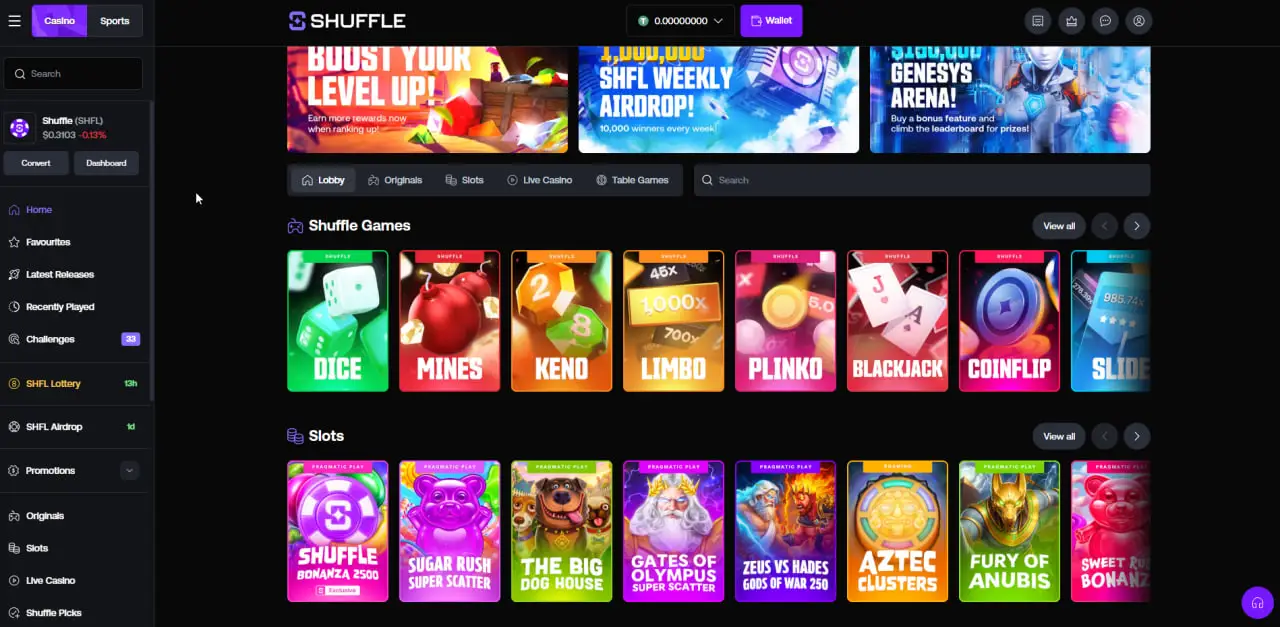
The mobile version of Shuffle is not a trimmed-down companion. Originals like Dice, Plinko and Mines were designed for touch first, slots stream in the same quality, and the live casino tables run smoothly over a normal mobile connection. The sportsbook adapts its layout so bet slips and live scores stay reachable with one thumb.
Your account is shared across every device. Start a session on your phone during a commute, then pick up on desktop at home with the same balance, bets and bonus progress. Mobile login works exactly like the desktop version, and the Shuffle casino login guide applies to both.
A note on app stores
Gambling apps face heavy restrictions in official app stores, which is why many crypto casinos, Shuffle included, focus on the browser experience instead. Be cautious with any third-party file claiming to be a Shuffle download. The reliable route for Canadians is the official site in your browser, reached through a trusted link.
Mobile security basics
- Keep your phone's screen lock enabled, since a pinned shortcut keeps your session active.
- Turn on two-factor authentication in your Shuffle account settings.
- Only enter credentials on shuffle.com, never in pages reached from unsolicited messages.
From Shortcut to First Bet
- Open Shuffle on your phone
Use the button below to reach the official site in your mobile browser.
- Register with SHFLVIP
New players enter the code in the Referral Code field during signup. It cannot be added afterwards. Full details on the Shuffle casino promo code page.
- Pin the shortcut
Add the site to your home screen using the steps above.
- Deposit and play
Fund with crypto and explore the casino, or check the Shuffle sports betting section for hockey and more.
Mobile FAQ
Your Casino, One Tap Away
Open Shuffle on your phone, register with SHFLVIP and pin the shortcut. The full casino and sportsbook travel with you.